Why I built open-slide
In April 2026, I went to a Cursor meetup in Taichung. Several speakers had used coding agents to generate their presentations as HTML. The results were impressive: custom layouts, interactive demos, and visuals that would have been difficult to produce in a traditional slide editor.
But on my way home from the meetup, I kept thinking about everything the agents had to build before they could make a single useful slide.
Every generated deck needed its own navigation, keyboard controls, progress indicator, presentation mode, and page structure. Because each one started from scratch, the interface changed from deck to deck. And after making a few of them, you ended up with standalone HTML files scattered across different folders, each with its own little implementation of the same presentation software.
The agent was spending a surprising amount of its context and tokens rebuilding the player instead of designing the presentation.
That led me to a question: what if the presentation framework already existed, and the agent only had to create the part the audience sees?
That question became open-slide.
The problem was not HTML
HTML is a great medium for presentations. It is flexible, interactive, easy to deploy, and able to contain real software instead of a screenshot of software. The problem was asking an agent to recreate the entire presentation environment every time.
Most AI presentation products take a different approach. They start with templates, generate copy, and place that copy into predetermined layouts. This makes it possible to produce a polished deck quickly, but it also puts a ceiling on what the deck can become. The output often feels like a variation of the same document: different words, familiar structure.
I wanted the speed of AI generation without giving up the freedom of code.
The key idea behind open-slide is simple: a presentation is visual code, and coding agents are already good at writing code. Instead of asking an agent to choose among templates, open-slide gives it a constrained React canvas and a runtime. The runtime handles the repetitive infrastructure; the agent is free to design the actual pages.
This changes the division of labor:
- open-slide owns navigation, playback, thumbnails, scaling, transitions, and the presentation UI.
- The agent owns hierarchy, layout, typography, illustration, motion, and the way information is communicated.
The constraints still matter. Every page uses a fixed 1920 × 1080 canvas. A deck has a predictable file structure. Assets live next to the deck that uses them. But inside that frame, every slide is just a React component. It can be a static composition, an animated sequence, an interactive diagram, or a live product demo.
open-slide handles the structure agents should not have to rebuild, but it does not decide what goes on each slide.
A workspace, not another generated file
My first prompt described something close to the system that exists today. I wanted a workspace with a slides directory, one folder per deck, an index.tsx entry file, and a local assets folder. I also wanted a small web app that could show every deck in the workspace.
Three product requirements mattered from the beginning.
First, the player had to be consistent. A presenter should not have to learn a new set of controls every time an agent generates a deck. Page navigation, thumbnails, fullscreen playback, and preview behavior belong to the framework.
Second, assets had to be first-class. Images, videos, icons, and fonts are not secondary details in a presentation; they are part of the work. I wanted a proper asset manager instead of a collection of mysterious file paths copied into generated code.
Third, multiple presentations had to live together. Creating a deck should mean adding a folder, not initializing another project. A workspace makes decks easier to find, reuse, update, and deploy.
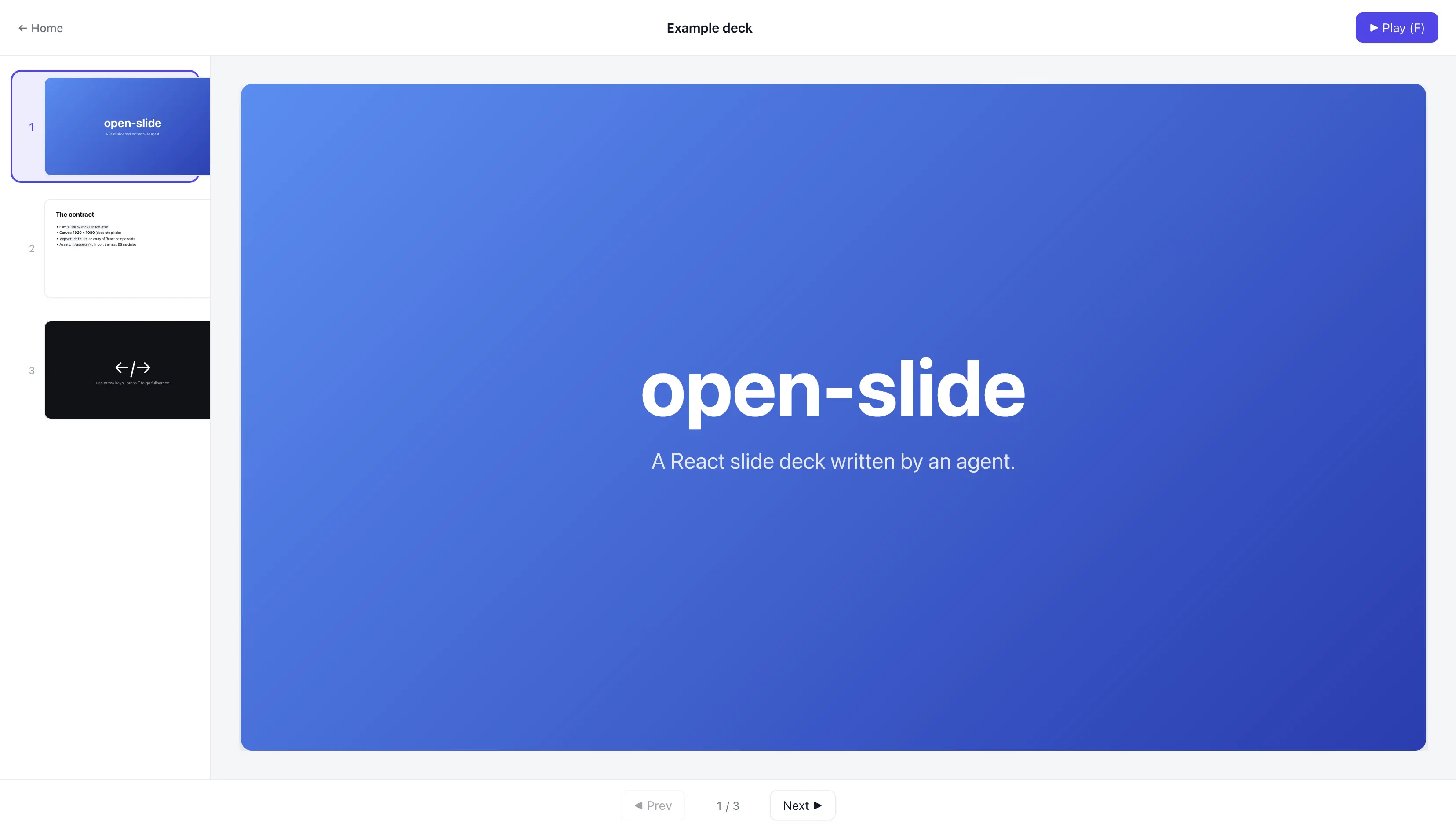
The first prototype produced by Claude Code was surprisingly close to what I had imagined. It had a React app, a player, a presentation canvas, a sidebar, and a small library for the core presentation behavior. The architecture later moved into an npm package, but the original split remained: the framework runs the presentation, while each deck defines its content and behavior.
That early result taught me something important about building with agents. A clear boundary is often more valuable than a highly detailed specification. Once the agent knew which responsibilities belonged to the runtime and which belonged to the generated deck, it could make good implementation decisions inside that boundary.
Built for agents, not merely built with them
There is a difference between a tool created with AI and a tool designed for AI to use.
An agent does not automatically know the conventions of a new framework. It might write valid React and still create a poor presentation: text that is too small, layouts that only work in the browser viewport, assets stored in the wrong place, or animations that break when moving backward through a deck.
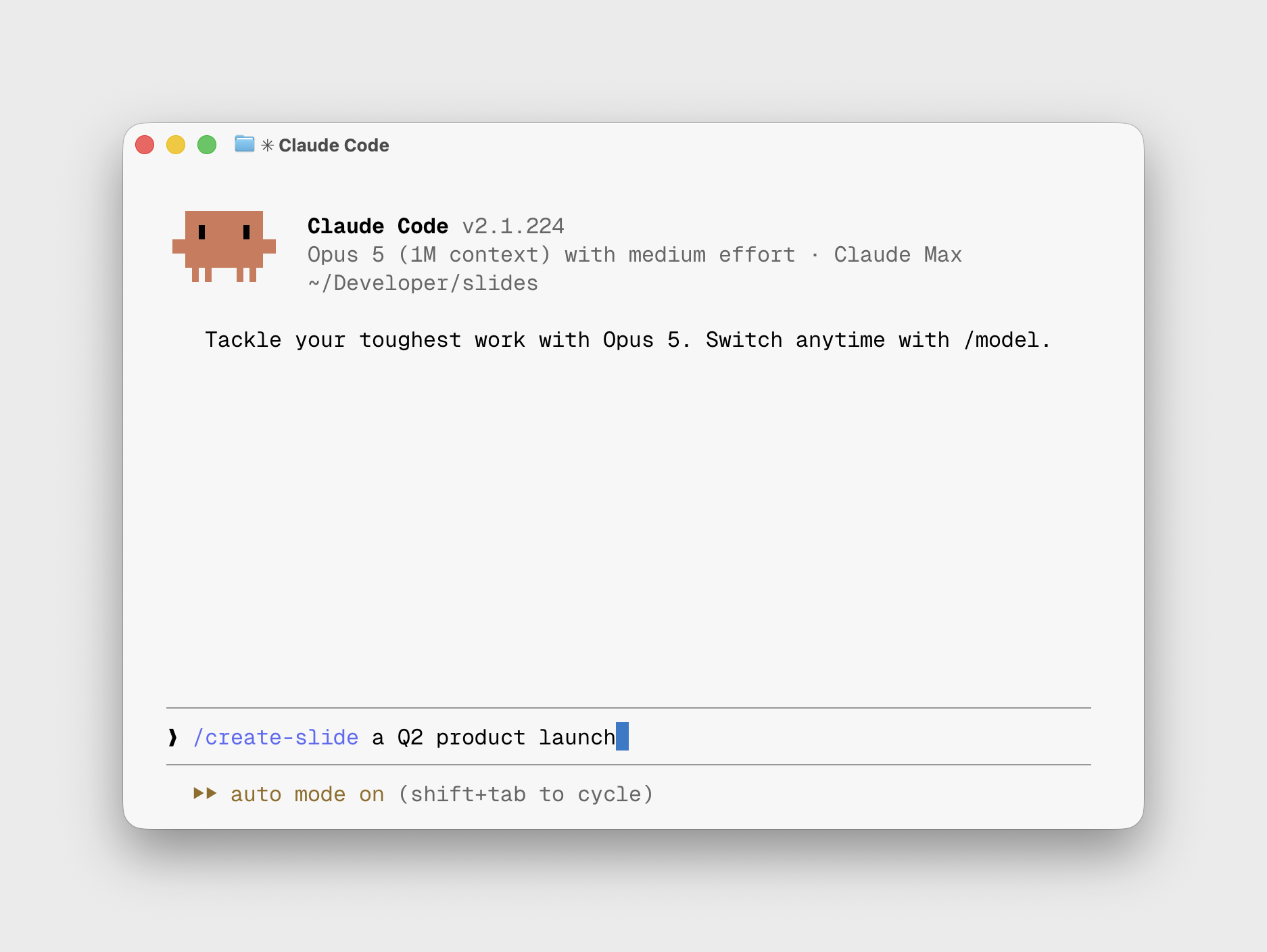
That is why open-slide is “skills first.” The framework ships with instructions that teach coding agents how to work within it:
create-slideguides the agent from a topic to a coherent deck.slide-authoringexplains the technical contract, layout system, assets, transitions, and presentation-specific design rules.apply-commentsturns feedback left in the inspector into a focused editing workflow.
The skills are versioned with the framework, so the instructions can change alongside the APIs and best practices. I consider them part of the product, not separate documentation.
It also makes iteration feel natural. I can ask an agent to create a first draft, inspect the rendered slides, leave comments on several elements, and then ask it to apply all of that feedback. The source remains ordinary React, so I can make a direct edit whenever that is faster. There is no hidden document format and no one-way generation step.
The presentation becomes a shared workspace between the human and the agent.
When the slide is real software
One of my favorite examples of what this model enables came from Sam Lambert, the CEO of PlanetScale. At
Cursor Compile 2026, he used open-slide for a presentation that included a live database-sharding demo directly in the deck.
That is much more interesting than putting a screenshot of a terminal on a slide. Because the presentation is React, the demo and the explanation can exist in the same visual system. A state change can update the diagram the audience is looking at. A transition can carry an object from a conceptual overview into a live interface. The deck does not need to pretend to be software; it can actually be software.
This is the kind of design freedom I did not want to lose to template-based generation.
open-slide includes primitives for progressive reveals, page transitions, and morph transitions, but it does not prescribe a visual style for them. Agents can use the same primitives without making every deck look alike.
Shipping changed the project
I did not begin open-slide with a roadmap for building a popular open-source project. I had the idea on my way home from that meetup, wrote it down, and started testing it.
Then I shared the work.
I posted the first release on X. After that, I kept posting small features: image placeholders, global assets, step animations, morph transitions, and improvements to the authoring workflow. When a new model such as Opus 5 came out, I used open-slide to test what it could do and
shared the resulting deck. That let me join conversations people were already having while giving them something concrete to try.
Within the first week, open-slide reached GitHub Trending. By the time I gave my COSCUP 2026 talk, it had passed 6,000 GitHub stars and was attracting a growing group of contributors. I also began seeing it used at events I had nothing to do with.
Each update gave more people a chance to find the project. Threads helped me connect with the local developer community in Taiwan. X helped the project reach developers and open-source maintainers around the world. Sharing in English was uncomfortable at first, but it led to conversations, issues, pull requests, and relationships I would have missed if I had waited until my English—or the product—felt perfect.
Those posts are how many people found the project and began contributing.
Four lessons I am taking with me
Building open-slide reinforced four habits that I want to carry into future projects.
1. Capture every idea
Small ideas disappear quickly, so I try to write them down before judging them. The note I wrote on my way home later became the first open-slide prototype.
Coding agents have made those notes more useful to me because I can turn a rough thought into a prototype before I have a complete plan.
2. Build before you overthink
I learned more from the first working prototype than I would have from spending more time on the plan. Every rough edge gave me something specific to fix.
3. Help the work get seen
I shared small releases as I built them. That gave people more opportunities to try the project and tell me what worked or was missing.
4. Do not be afraid to communicate in English
My English is not perfect. It does not need to be.
Posting in English led to issues, pull requests, and conversations that I would otherwise have missed.
What I am really building
open-slide started as a way to stop agents from wasting tokens on presentation plumbing. It has since become my way of exploring how creative tools should work when agents are part of the process.
I do not want AI to make every presentation look the same. open-slide gives agents enough structure to move quickly without locking the deck into a template. It handles the mechanics while leaving the direction to the author.
I want open-slide to be a practical way for a person and an agent to work on the same presentation. The code stays visible, and I can step in whenever I want to change the design myself.
If you have an idea that has been sitting in your notes, build the first version. It does not need to begin with a perfect roadmap. Sometimes it begins on the way home.
This post is adapted from my COSCUP 2026 talk. You can view the slides,
watch the recording, or
explore open-slide on GitHub.